
AI-Powered Workflow
From an interview transcript to a living Blueprint — and on to working prototypes
One workspace, two ways in
AI reaches your workspace from two directions, and they complement each other. Both understand the model — what they create lands correctly on the Blueprint.
The in-app assistant
The orb in the corner of the app. Zero setup, already connected to the workspace you have open: drop a document on it, ask about your flows, let it make the edits — all without leaving the canvas.
In-app assistant guide →Your own AI tools, over MCP
Connect Claude, Cursor, or any MCP-capable assistant to RoleDream. The workspace joins the context your tools already have — strongest for the Build step, where the TO-BE becomes code and prototypes.
Connect your tools →Map, Understand, Improve, Build
Whichever side you work from, the whole cycle runs as a conversation. The typical loop: hand the assistant an interview or process document, let it map the AS-IS onto the Blueprint, work from that shared picture, and build what comes next.
Map
"Map this interview to the Blueprint" — the assistant creates the segments, jobs, solutions, steps, and staged resources
Understand
Review the AS-IS on the canvas, follow the flows, and spot the pains and waste — then refine in conversation
Improve
Design TO-BE solutions beside the current ones — same jobs, better flows, tagged to-be
Build
Generate prototypes or a POC straight from the well-described TO-BE flow — the blueprint doubles as the spec
Why This Matters
Traditional Process
- closeManual extraction from documents
- closeManual data entry into tools
- closeManual diagram creation
- closeHours or days of work
AI-Powered Process
- checkNatural language input
- checkAutomated structured data creation
- checkInstant visual flows
- checkMinutes instead of hours
rocket_launch Spend your time on analysis and insights, not data entry
Universal Applicability
The loop works wherever processes need understanding and improving. Feed your assistant any source material and the flows take shape.
Healthcare
Patient intake procedures, clinical workflows, care coordination processes
Retail
Customer purchase journeys, inventory management, returns processing
Education
Curriculum design, student enrollment, course delivery workflows
Manufacturing
Production line processes, quality control, supply chain operations
Service Delivery
Customer support workflows, service blueprints, onboarding processes
Software Development
CI/CD pipelines, user stories to workflows, API documentation to flows
How a Typical Session Runs
Connect Your AI Assistant
Set up the MCP connection between your assistant (Claude, Cursor, etc.) and RoleDream — a one-time step that lets it read and write your workspace directly.
Hand It an Interview or Document
Paste a transcript or share a process doc and ask it to map the content to the Blueprint. The assistant knows the model — it separates real jobs from tool complaints, links segments to the jobs they own, and stages resources under the right steps. Expect a draft to review, not a pile of objects.
Work From the Canvas
Open the Blueprint link it hands back and read the AS-IS. Refine in either place: drag and edit on the canvas, or keep talking — "split that step", "link the research quotes to J206", "what does the courier's flow look like?"
Design the TO-BE Together
Discuss what should change and let the assistant draft improved solutions beside the current ones, tagged to-be — same jobs, leaner steps, better tools. Hiring decisions record the switch when you commit.
Generate a Prototype or POC
A TO-BE flow with its steps and staged resources is already close to a specification. Ask the assistant to build from it — a clickable prototype, a proof of concept, or the scaffold of the real solution.
See It In Action
Here's an actual AI conversation creating resources and linking them to solution steps via MCP. The AI understands the structure, creates missing resources, and establishes relationships—all in seconds.
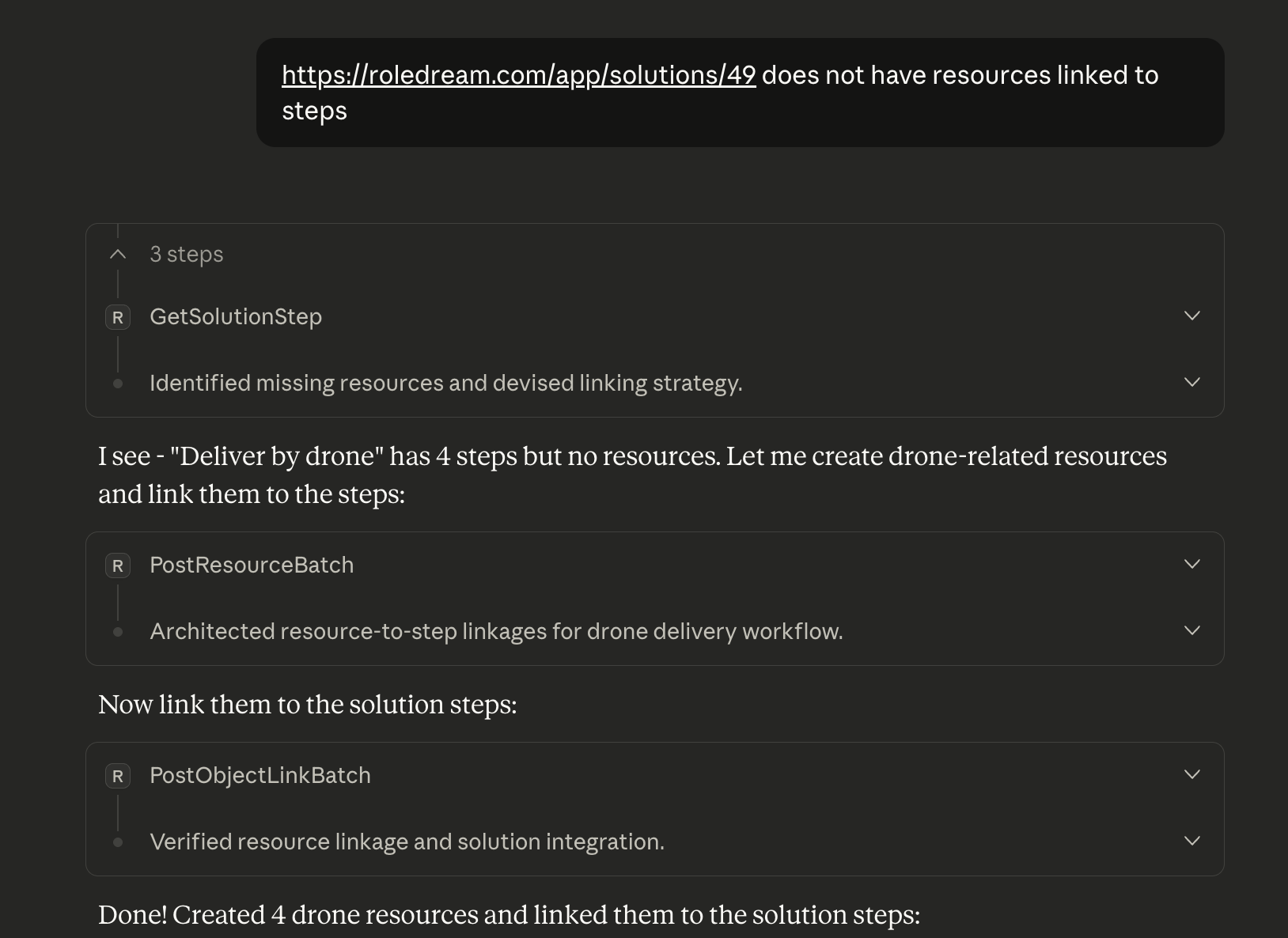
AI assistant analyzing a solution, creating missing resources, and linking them to steps—all via MCP in seconds. This automation transforms what would take hours of manual work into a brief conversation. (Click to zoom)
Example Prompts
Prompts that follow the loop, once MCP is connected:
"Here's the transcript of my interview with Maria. Map it to the Blueprint — segments, jobs, solutions with steps, and the tools they use. Tag everything as-is."
"Looking at the AS-IS for 'Order food for delivery' — where is the waste? Which steps could be merged or removed?"
"Draft a TO-BE solution for that job next to the current one: fewer handoffs, self-service where possible. Tag it to-be."
"Generate a clickable prototype of the TO-BE flow — one screen per frontstage step, using the staged resources as the screens."
"What jobs and solutions does the Payment gateway touch? We plan to replace it."